

Download Books – Free Open‑Source Book Cataloging Tool for macOS
Overview
Books is a lightweight, open‑source cataloging application designed specifically for Mac users who want to keep track of their personal library without paying a subscription fee. First released in 2007 and still maintained under the GPL license, Books has attracted more than 21,000 downloads worldwide, with a steady community of enthusiasts in France, Italy, and the United Kingdom. The latest stable version, 3.2.3, was released on February 20 2009 and brings solid support for macOS 10.4 and later, while maintaining an extremely small footprint on disk.
Because it is built for productivity, the app falls under the “Productivity software” category with a sub‑category of “Catalogers”. Its simple, English‑only interface makes it accessible for casual readers and serious bibliophiles alike. Whether you are a student managing textbooks, a collector organizing rare editions, or a small library looking for a free alternative to commercial solutions, Books offers a secure, no‑ads environment that respects your data.
Key Features of Books
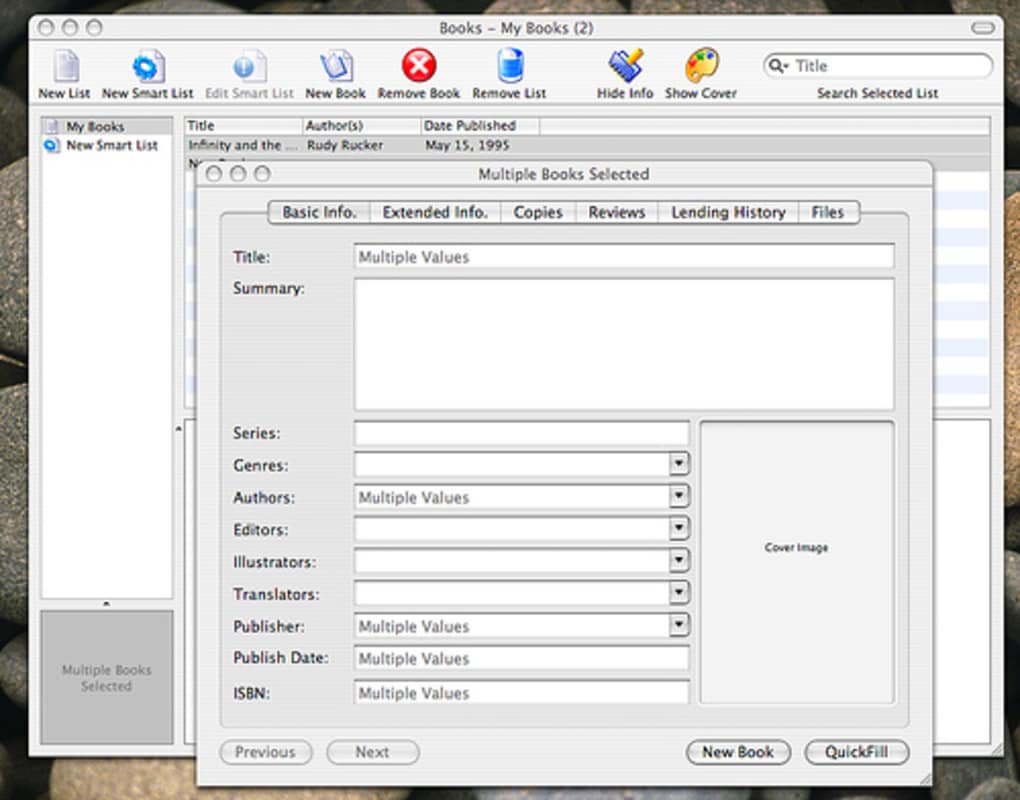
- Customizable Metadata Fields – Add author, ISBN, genre, publication date, and personal notes to each entry.
- Search & Filter Engine – Quickly locate a title using keyword search, tag filtering, or advanced Boolean queries.
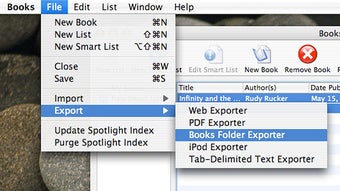
- Import/Export Options – Seamlessly import CSV, XML, or iTunes‑style libraries and export your catalog for backup or migration.
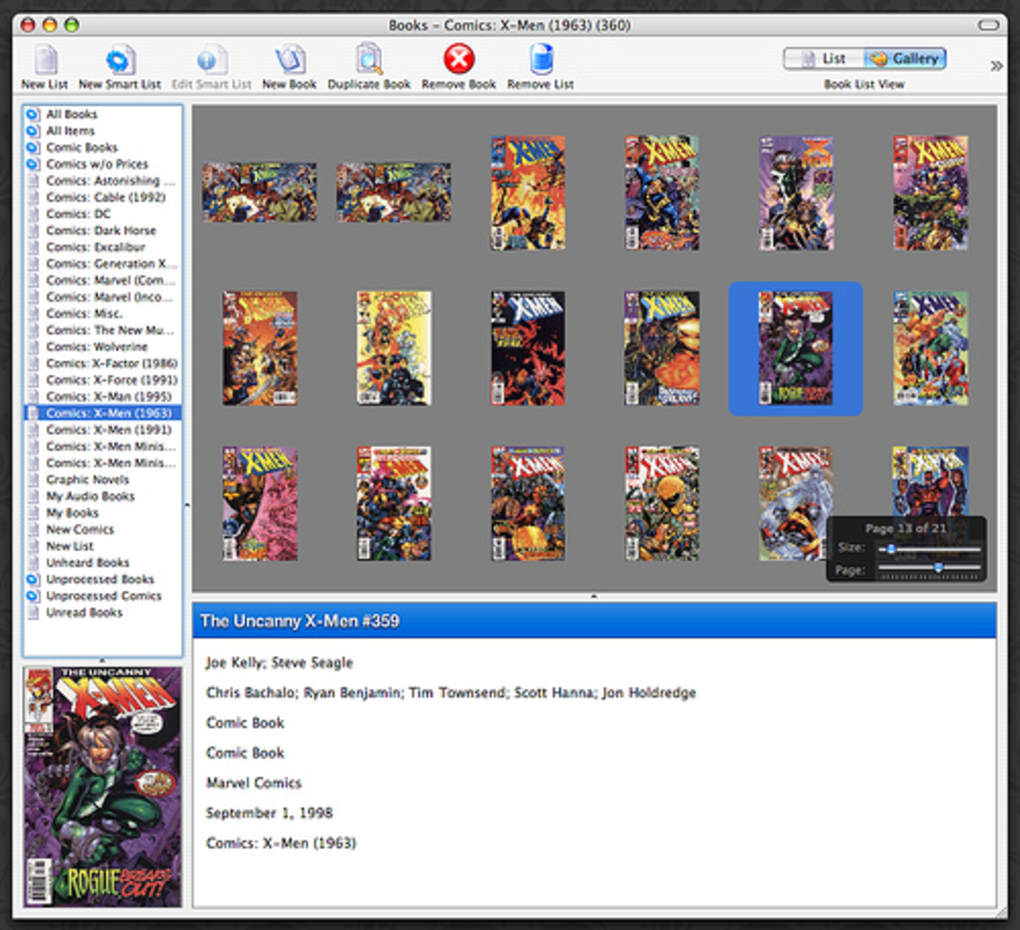
- Cover Image Management – Attach high‑resolution cover art manually or let the app fetch images from online databases.
- Multiple Views – Switch between list, grid, and detailed pane layouts to suit your workflow.
- Cross‑Version Compatibility – Fully functional on macOS 10.4 and later, including modern macOS releases via Rosetta 2.
- Free and Open‑Source – GPL‑licensed code means you can audit, modify, or contribute to the project without restrictions.
- Low Resource Consumption – Requires less than 30 MB of storage and runs smoothly on older hardware.
These features combine to create a tool that feels both modern and timeless. The focus on core cataloging functions means you won’t be distracted by unnecessary bells and whistles, while the extensibility of the open‑source code invites power users to add custom scripts or integrations. In practice, users report that adding a new book takes under a minute, and generating a printable reading list can be done with a single click.
Installation, Usage & Compatibility
Downloading and installing Books is straightforward. Follow these steps to get the application up and running on your Mac:
- Visit the official project page or a trusted open‑source repository (e.g., GitHub).
- Click the Download Books 3.2.3 link to obtain the
.dmginstaller. - Open the
.dmgfile and drag the Books icon into yourApplicationsfolder. - Launch the app; macOS may warn you about an app from an unidentified developer. Select “Open Anyway” in
System Preferences → Security & Privacy. - On first launch, Books will prompt you to create a new library file. Choose a location (the default
~/Documents/Booksworks well) and click “Create”.
Once installed, the interface presents a clean toolbar with options to add a new book, import a collection, or search existing entries. To add a title, click the “+” button, fill in the metadata fields, and optionally drop a cover image onto the placeholder. All changes are saved automatically, eliminating the need for manual “Save” actions.
Compatibility – Books runs on macOS 10.4 (Tiger) through macOS 12 (Monterey) thanks to legacy support built into the binary. Users on newer macOS versions may need to enable Rosetta 2 if they are on Apple Silicon, but the experience remains fluid. Because the software is not built for Windows, Android, or iOS, it stays focused on delivering a stable macOS experience without the overhead of cross‑platform code.
Regular updates are rare— the last patch in 2009 addressed a crash for 10.4 users—but the community still provides unofficial patches and documentation. For security‑conscious users, the GPL license ensures that the source code is available for independent audit, making Books a trustworthy option for handling personal reading data.
Pros, Cons and Frequently Asked Questions
Pros
- Completely free and open‑source – no hidden fees or subscription models.
- Extremely low system requirements – ideal for older Mac hardware.
- Rich metadata handling with customizable fields.
- Easy import/export for migration to other cataloging tools.
- Active community support in Europe, especially France, Italy, and the UK.
Cons
- No native Windows, Android, or iOS versions – limited to macOS.
- Last official update was in 2009, which may raise concerns for some users.
- Interface feels dated compared to modern commercial catalogers.
- Lack of built‑in cloud sync; users must rely on manual backups.
- Documentation is community‑driven, so official guides are sparse.
Frequently Asked Questions
Is Books compatible with the latest macOS releases?
Yes. Although the last official build dates back to 2009, the binary runs on macOS 10.4 and later, including the most recent versions. Apple Silicon users may need Rosetta 2, but the app functions without major issues.
Can I sync my library across multiple Macs?
Books does not include built‑in cloud sync. However, you can place the library file in a folder synchronized by iCloud Drive, Dropbox, or any other file‑sharing service to achieve cross‑device consistency.
Is there a way to import my existing CSV catalog?
Yes. The import wizard accepts CSV files that follow the standard Books schema (title, author, ISBN, etc.). You can also import XML or iTunes‑style libraries through the “File → Import” menu.
Does Books support barcode scanning?
Out of the box, Books does not include barcode scanning. Users can manually enter ISBN numbers, or integrate third‑party macOS utilities that copy scanned data into the entry fields.
Is my personal data safe with an open‑source app?
Because Books is released under the GPL license, the source code is publicly available for review. This transparency means you can verify that no telemetry or hidden data collection occurs, making it a secure choice for privacy‑focused users.
Books delivers exactly what its tagline promises: a no‑frills, free cataloging solution for macOS. While the UI could benefit from a modern facelift and the project would love a fresh update, the core functionality remains solid. For anyone looking to digitize a personal library without spending money, Books is still a viable, secure, and lightweight option.
Conclusion & Call to Action
In a market saturated with subscription‑based catalogers, Books stands out as a genuinely free, open‑source alternative that respects both your budget and your privacy. Its modest system requirements make it a perfect fit for older Mac machines, while the robust feature set—custom metadata, import/export, and cover image handling—covers the essential needs of any avid reader or small collection manager. Although the lack of native Windows or mobile versions and the dated interface may deter some, the software’s stability, security, and community‑driven support more than compensate for those shortcomings.
If you’re ready to take control of your personal library without signing up for a cloud service or paying a monthly fee, download Books today. Install it in minutes, import your existing list, and start organizing your shelves with a tool that’s been trusted by thousands of users across Europe for nearly two decades. Remember to back up your library file regularly—whether via iCloud, Dropbox, or an external drive—to keep your collection safe for years to come.
Take the first step toward a cleaner, more organized reading experience. Download Books now and enjoy a free, secure, and lightweight cataloging solution built specifically for macOS.







